
Install the trial and connect a mailbox.
TEAMS · SLACK · TELEGRAM
Feature · Notify
Alert the right people the moment an email arrives
Automatic Email Manager posts a message to Microsoft Teams, Slack, Telegram or Pushover when a specific email arrives, with its attachments. It can also call your own web service.
v10.02.1124 · Windows 11, 10, Server · no registration
Teams, Slack, Telegram, Pushover
Attachments included
Web services (HTTP)
Short answer
Automatic Email Manager sends a notification to Microsoft Teams, Slack, Telegram or Pushover when a matching email arrives, with the attachments if you want. It can also send an HTTP request to your own application, attachments included.
Updated 11/24/2026 · Tested with v10.02.1124
Why use it
Seen in seconds
The right channel or phone is notified as soon as the email lands, not when someone checks the inbox.
Only what matters
Conditions on sender, subject or content keep channels free of noise.
Connect anything
Send an HTTP request to your own application, with the attachments.
Examples
From the inbox to the right channel
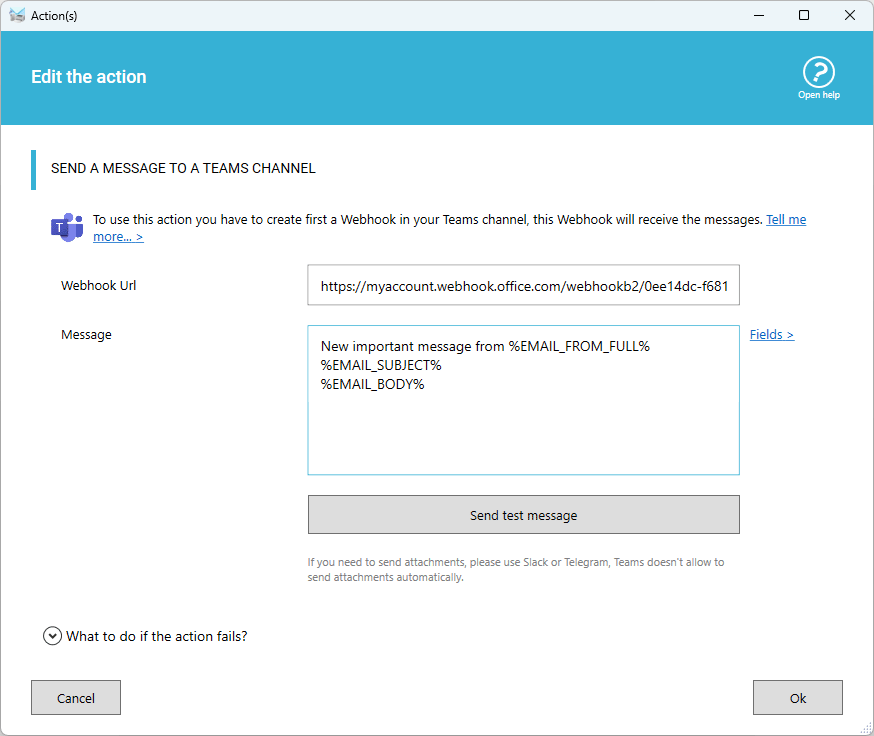
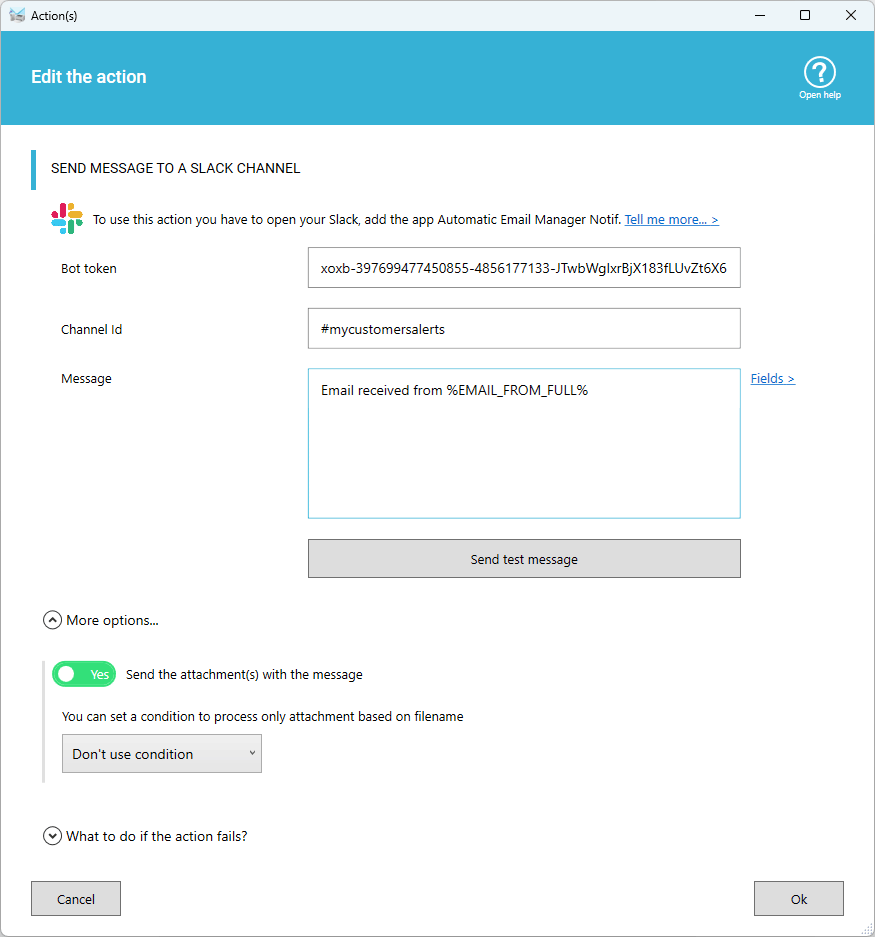
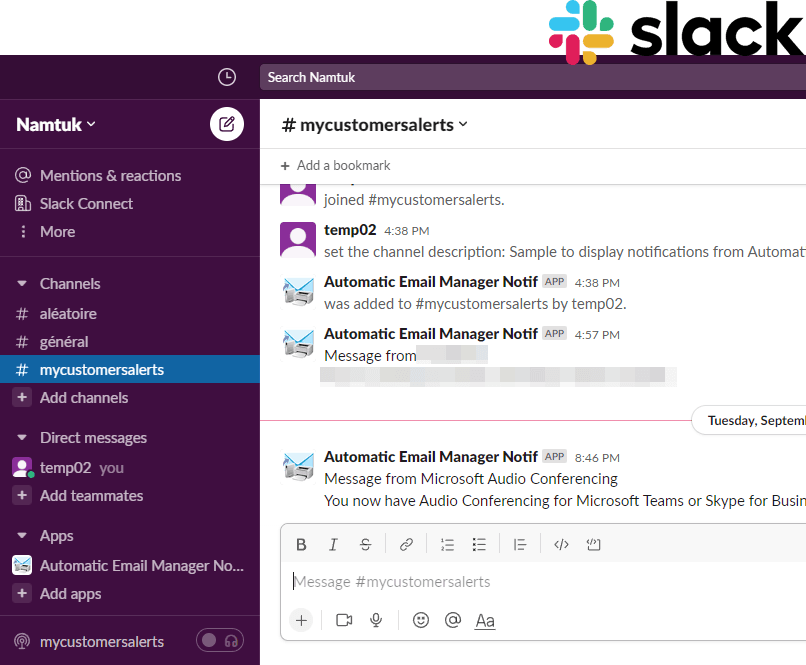
What is Pushover?

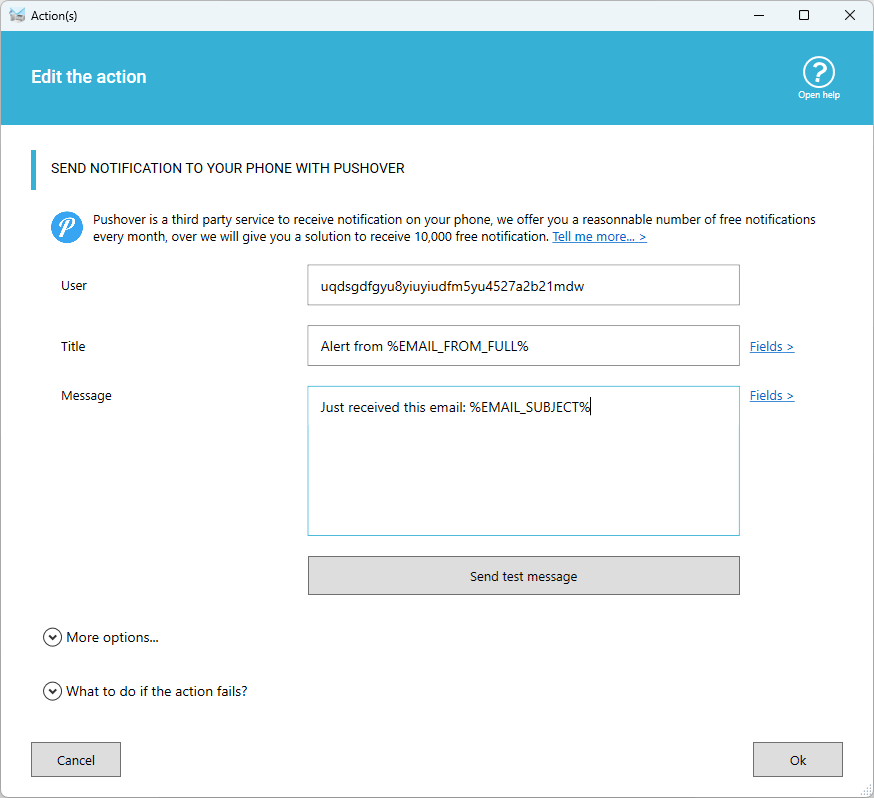
Pushover makes it easy to get real-time notifications on your Android, iPhone, iPad, and Desktop (Windows, MacOS, Android Wear and Apple Watch).
You can receive unlimited push notifications on all of your devices from Automatic Email Manager. Just supply your Pushover User Key or your Pushover e-mail address and you'll be getting push notifications in an instant.
How it works
The email arrives. The team knows.
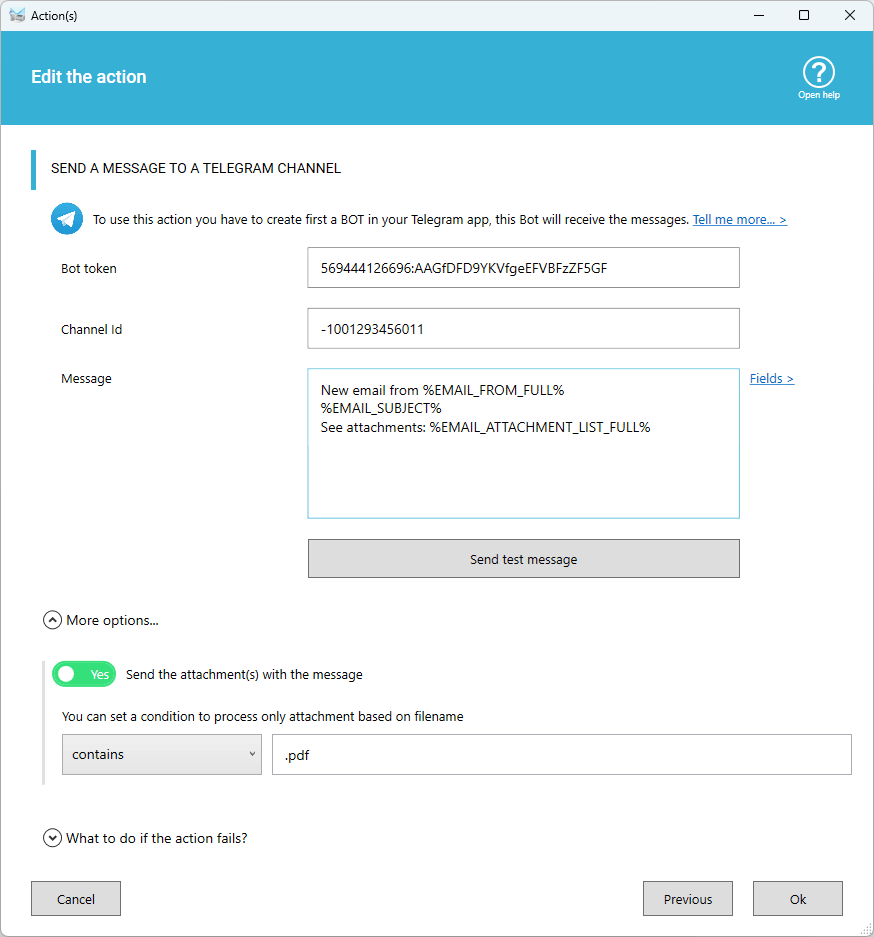
Pick the service and the channel, write the message with data from the email, and choose whether to include the attachments.
1
Email arrives
and matches your conditions
2
Message
text, fields, files
3
Notify
Teams, Slack, Telegram…
By sender
Supplier invoices to accounting
sender ends with supplier.com → Teams #accounting
By keyword
Urgent emails to support
subject contains urgent → Slack #support
With AI
A short summary instead of the whole email
Message: AI result
To your app
An HTTP request with the files
POST https://app.company.example/inbox
Services
Where notifications can go
Services
Supported out of the box
| Microsoft Teams | Message in a channel |
|---|---|
| Slack | Message in a channel |
| Telegram | Message in a chat |
| Pushover | Notification on a phone, tablet, MacOs, Windows |
Content
What the message carries
| Text | Your message, with data from the email |
|---|---|
| Attachments | Sent with the message (not for Teams) |
| AI result | A summary or translation from an AI action |
| HTTP V10 | Request to your web service, attachments included (multipart POST) |
Ideas
Who gets notified
Accounting
Invoices announced in the Telegram channel
Each supplier invoice is posted in Teams with its PDF.
Customer service
Urgent emails never wait
Emails marked urgent are posted in the support channel immediately.
On-call
Key accounts on your phone
Emails from your most important customers reach the on-call phone.
Developers
Emails into your application
Incoming orders are posted to your own web service, with their files.
Local by design
Only the message leaves your network
Emails are processed on your own PC or server. Only the notification you define is sent to the service you choose.
Runs as a Windows service
Notifications keep coming with nobody logged in.
Your conditions
Only the emails that match are notified.
Your content
You choose the text and whether attachments are included.
One fixed price
$99 per year per computer. No per-message fee.
Which services are supported?+
Microsoft Teams, Slack, Telegram and Pushover. Any other tool with a web API can be reached with an HTTP request.
Can the attachments be included?+
Yes. The notification can carry the attachments of the email, except for Teams.
Can I post a short summary instead of the whole email?+
Yes. Add an AI action first and use its result as the message.
Can Automatic Email Manager call my own API?+
Yes. The HTTP action sends a request to your web service, with attachments as multipart POST since version 10.
Tutorials